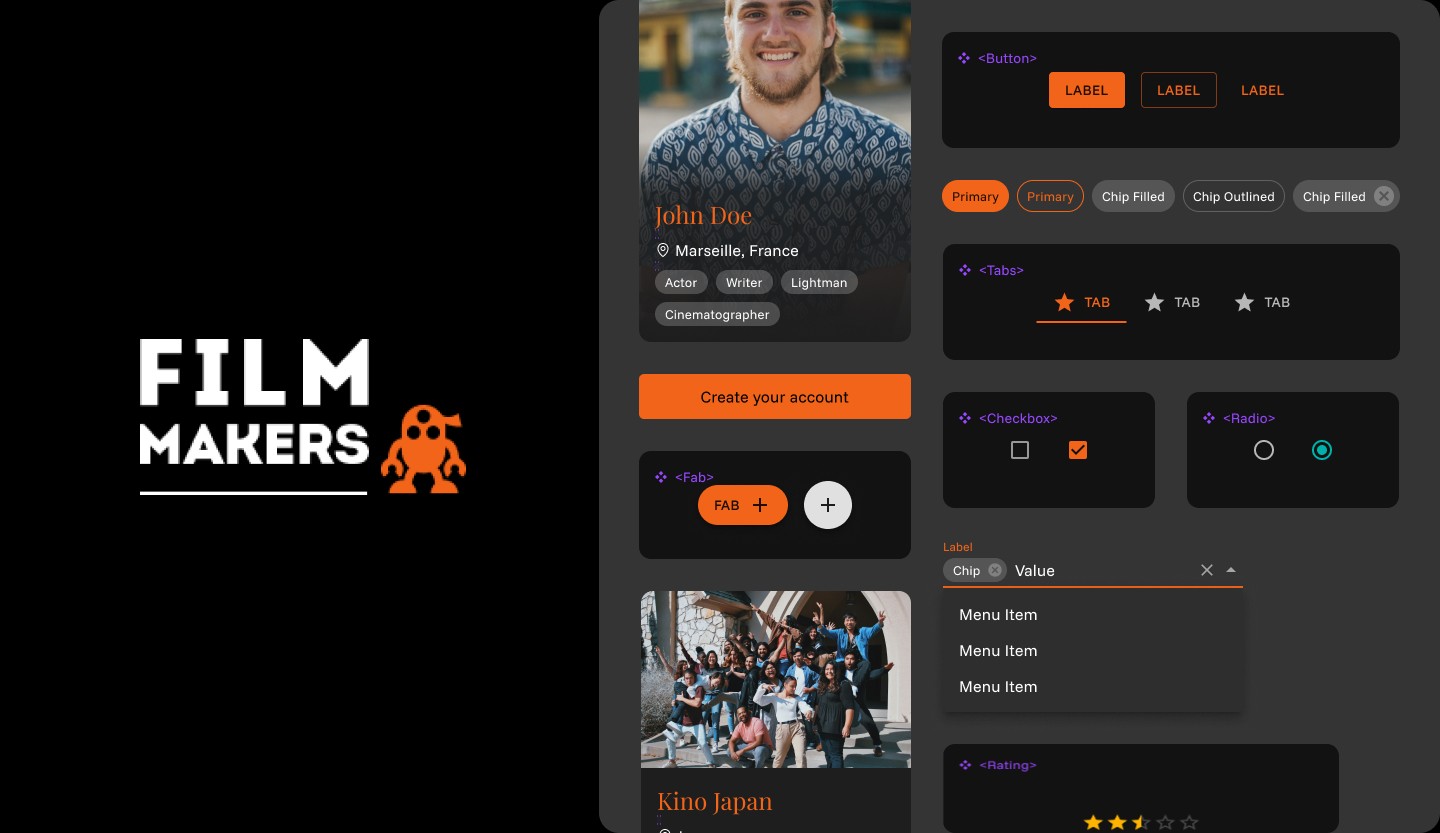
Building a Design System for filmmakers.io
MY ROLE
I worked as a UI/UX designer focusing on creating a foundational design system for Filmmakers.io.
PROJECT DURATION
May 2025 - June 2025 (8 Weeks)
MY RESPONSIBILITIES INCLUDED
• Auditing the existing UI
Defining reusable components
Establishing visual and accessibility guidelines
Documenting the system for future contributors
OVERVIEW
filmmakers.io is a community-driven platform built for filmmakers. It brings together creators, collaborators and opportunities under one digital roof.
When I joined the project, filmmakers.io was in the middle of a product revamp. New features were being added, the website was becoming more responsive and the product was slowly expanding across devices. However, one critical foundation was missing: a shared design language.
This case study walks through how and why I built a design system for filmmakers.io, the challenges it addressed and the impact it had on the product and the team.
CONTEXT
Filmmakers.io is largely run by volunteers including designers and developers who contribute for a certain period of time.
Some contributors would work on specific parts of the product, then move on. New contributors would join later and continue from where the previous ones left off.
This organic contribution model is powerful but it also introduced a set of design challenges.
Key observations
• UI patterns varied across pages
• Typography was inconsistent
Components were redesigned multiple times in different ways
New designers found it hard to understand previous design decisions
Take these two film cards from two different pages as an example
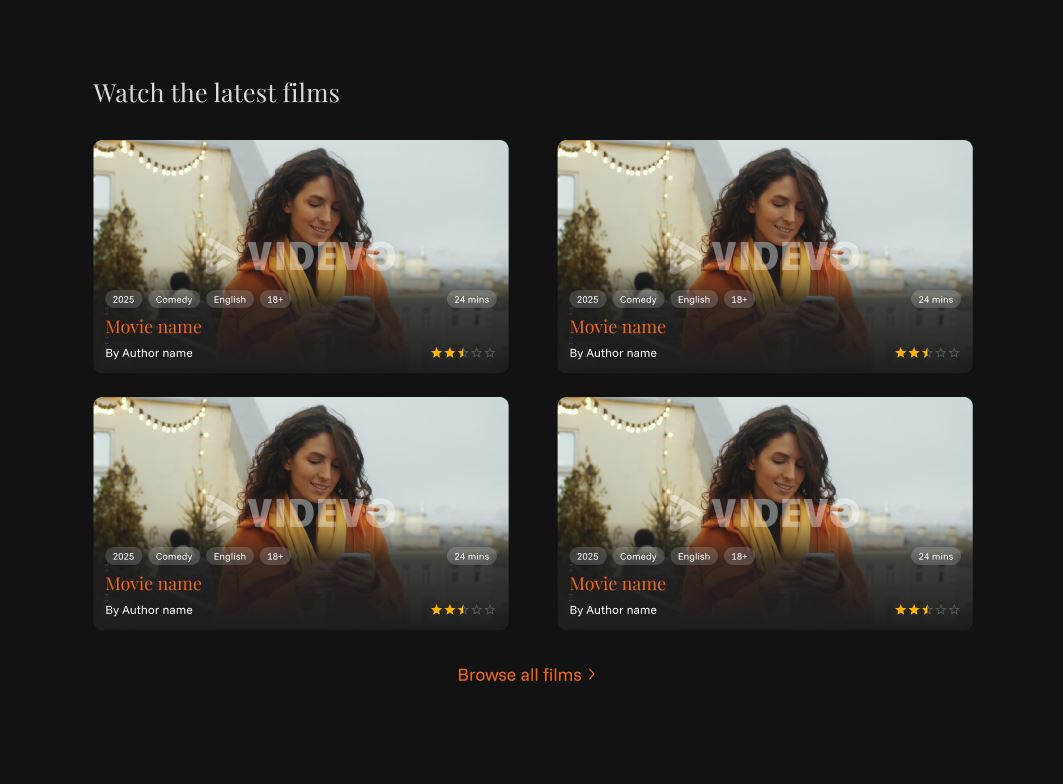
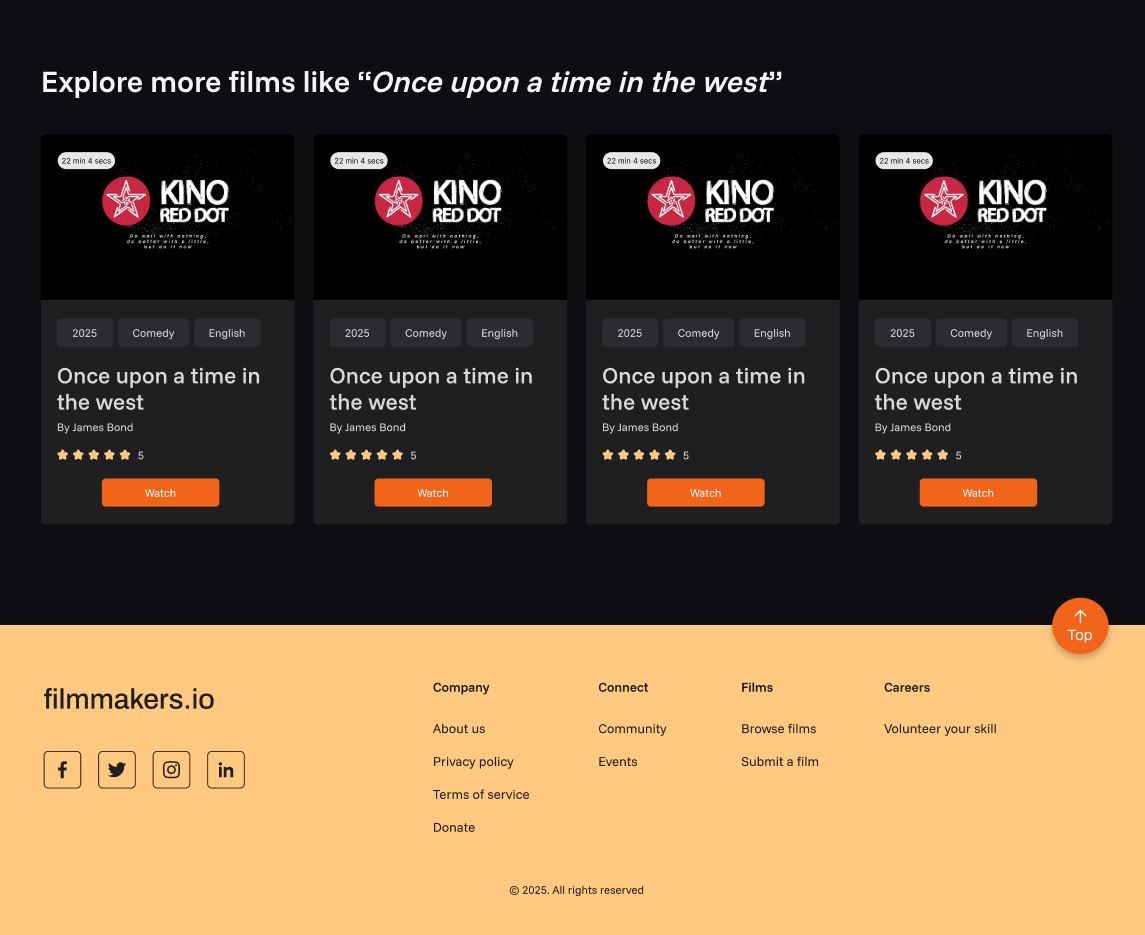
Film card in landing page vs film card in film detail page
Film cards, the core content unit of filmmakers.io, were implemented with different structures, inconsistent typography (font size and color), chip styling and CTA treatments across pages, indicating page-level styling instead of a shared component system.
PROBLEM
As the product grew, the lack of a common design foundation started creating friction. Without a system in place, every new feature or screen required rethinking basic UI decisions.
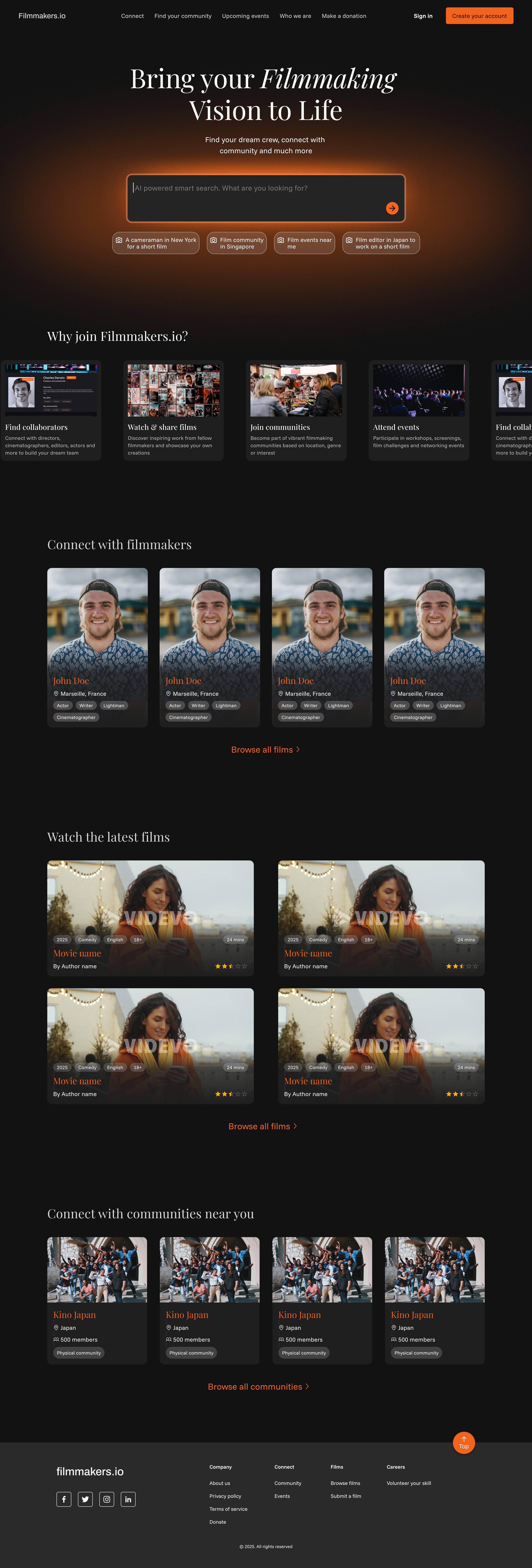
The home page uses a dark background with gradient-based cards
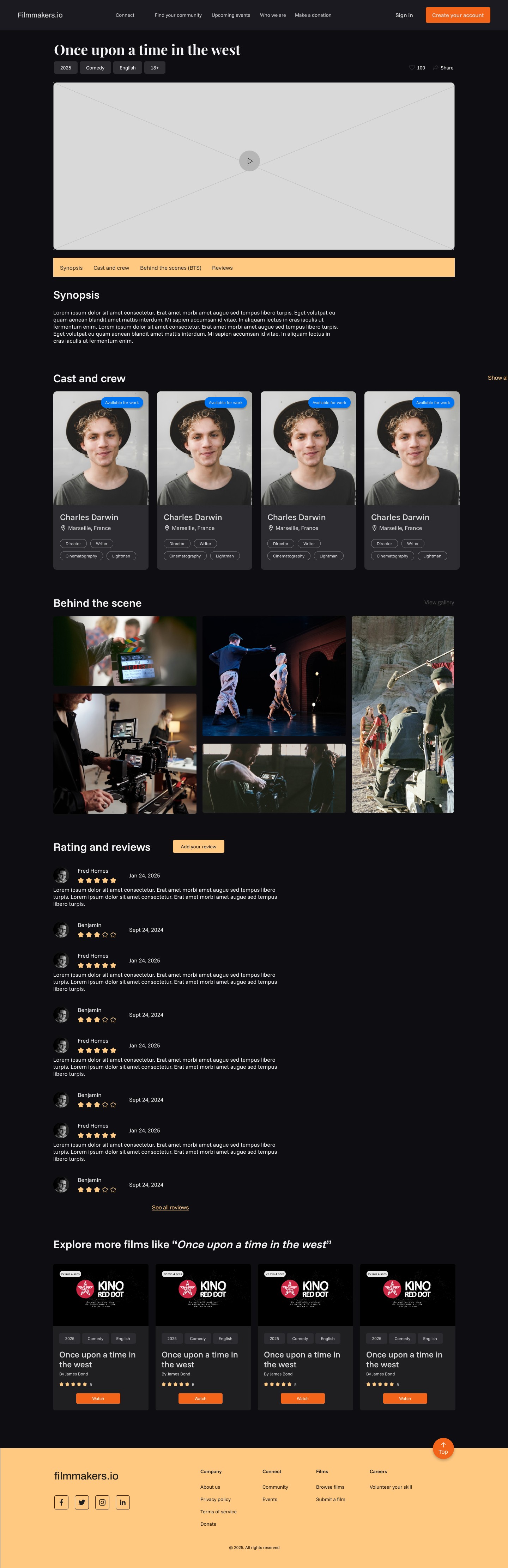
Film detail page uses black and orange section fills with solid card surfaces, resulting in inconsistent visual language.
# 1
No shared design guidelines
# 2
Fragmented and non-cohesive
visual design
# 3
Difficult handovers between
designers
# 4
Slower design and development
cycles
What filmmakers.io needed was not just a redesign, but a design system that could act as design guidelines, enable remote collaboration and scale with future product expansion.
MY PROCESS
STEP 1
Auditing the existing website
I started by analyzing the current website to identify inconsistencies. This included mapping out variations in spacing, typography and colors. I did this by conducting a CSS statistics audit.
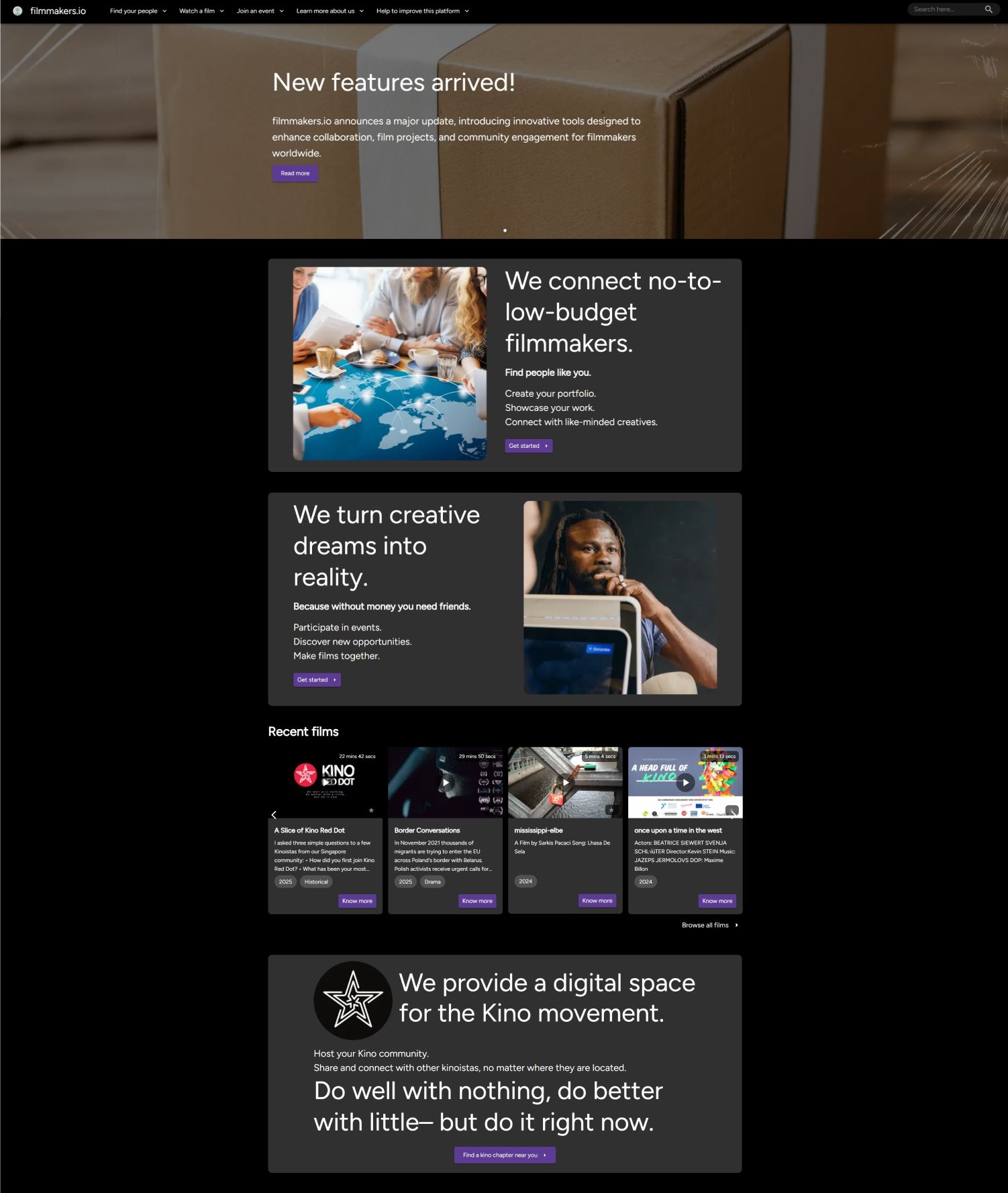
Old filmmakers.io website
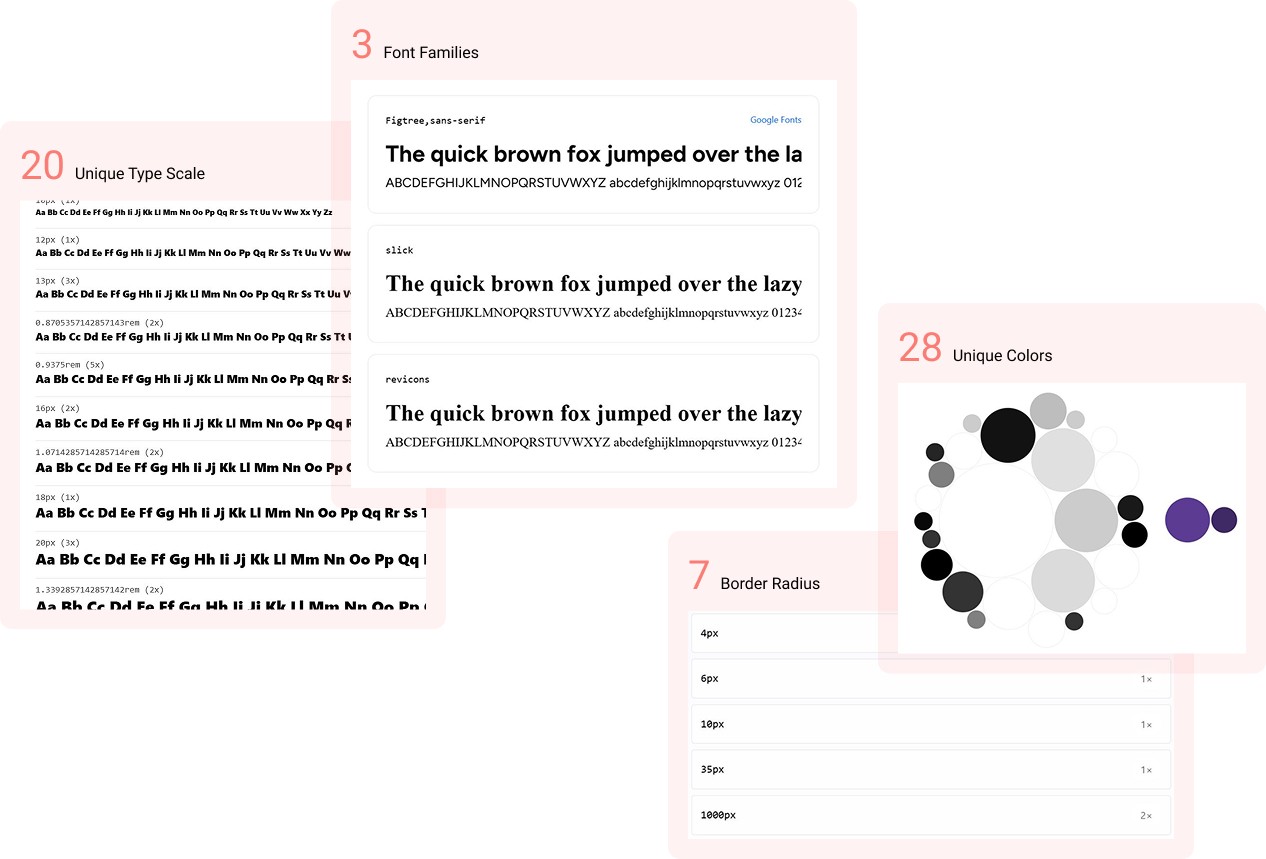
CSS audit results
The CSS audit revealed a high number of unique colors across the site, many of which were visually very similar. Multiple distinct font sizes and weight combinations were present, beyond what is needed for a simple hierarchy.
This audit helped me understand what already worked and what needed standardization.
STEP 2
Identifying core UI elements
Based on the audit, I listed the essential building blocks of the interface. This formed the backbone of the design system.
Elevation & dark theme considerations
Accessibility standards
Input fileds
Chips
Cards
Buttons
Icons
Typography
Color system
STEP 3
Studying existing design systems
To keep the system easy for contributors to adopt, I studied well-documented and widely used design systems such as Google Material Design and MUI Design System. I intentionally chose systems that were simple to understand, well documented and developer friendly.
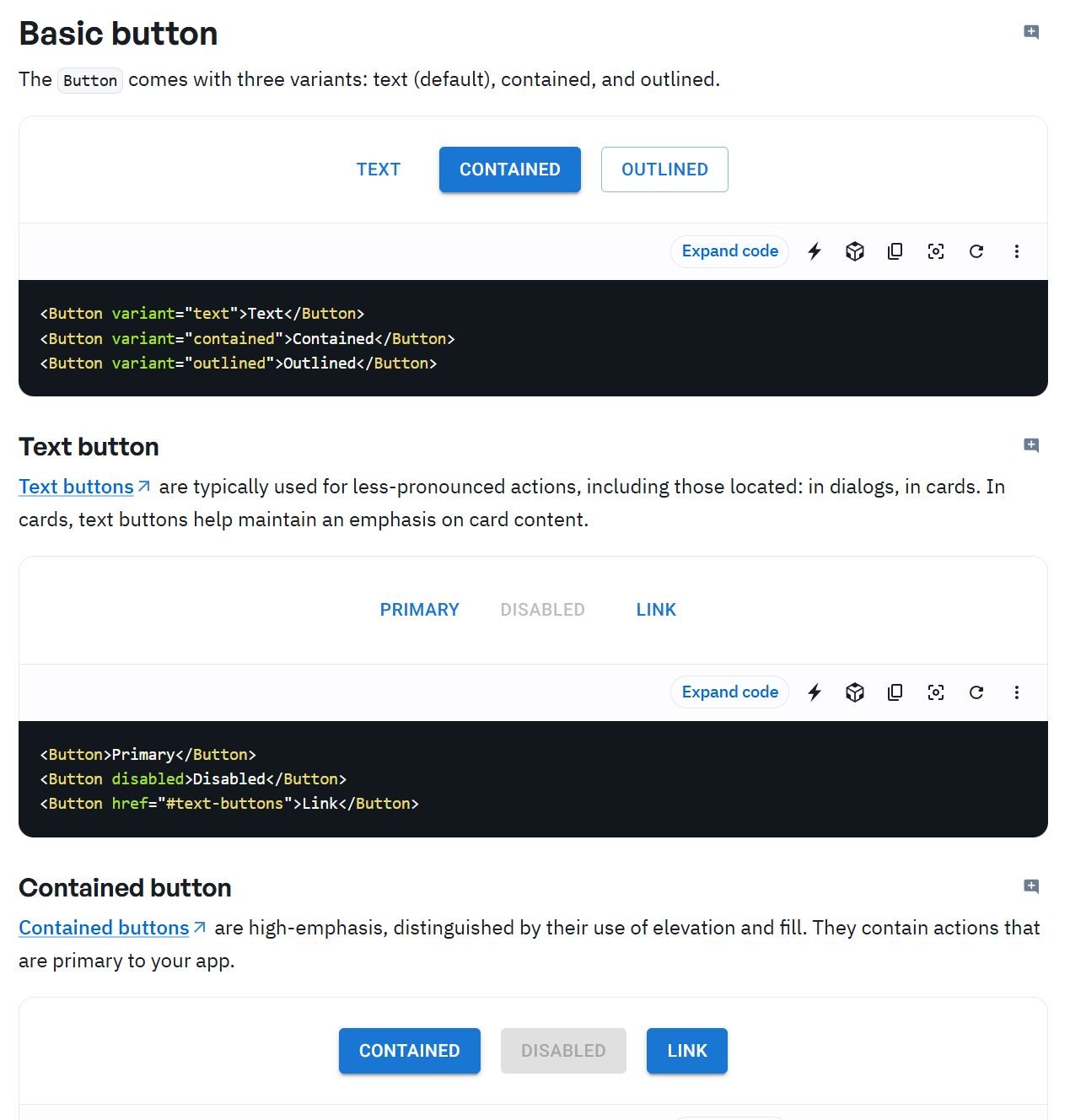
MUI Design System button component
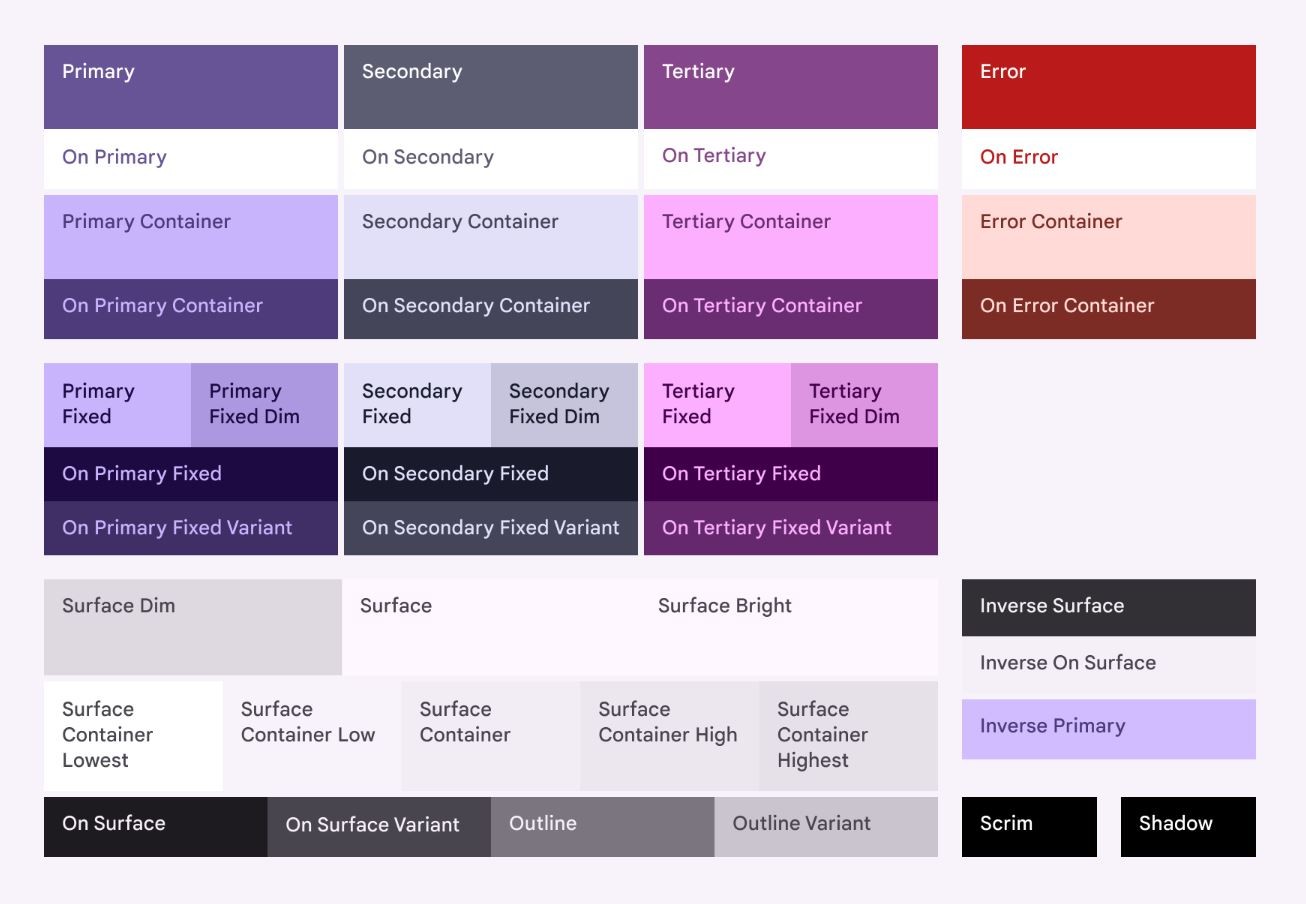
Google Material Design color tokens
DEFINING THE DESIGN LANGUAGE
Before jumping into building the design system block by block, we paused to ask a more fundamental question:
What should filmmakers.io feel like?
Along with other designers, I worked on defining a design language for the revamped product. This shared language set the tone for the website’s look and feel and later guided the creation of the color palette, typography and copy that powered the design system.
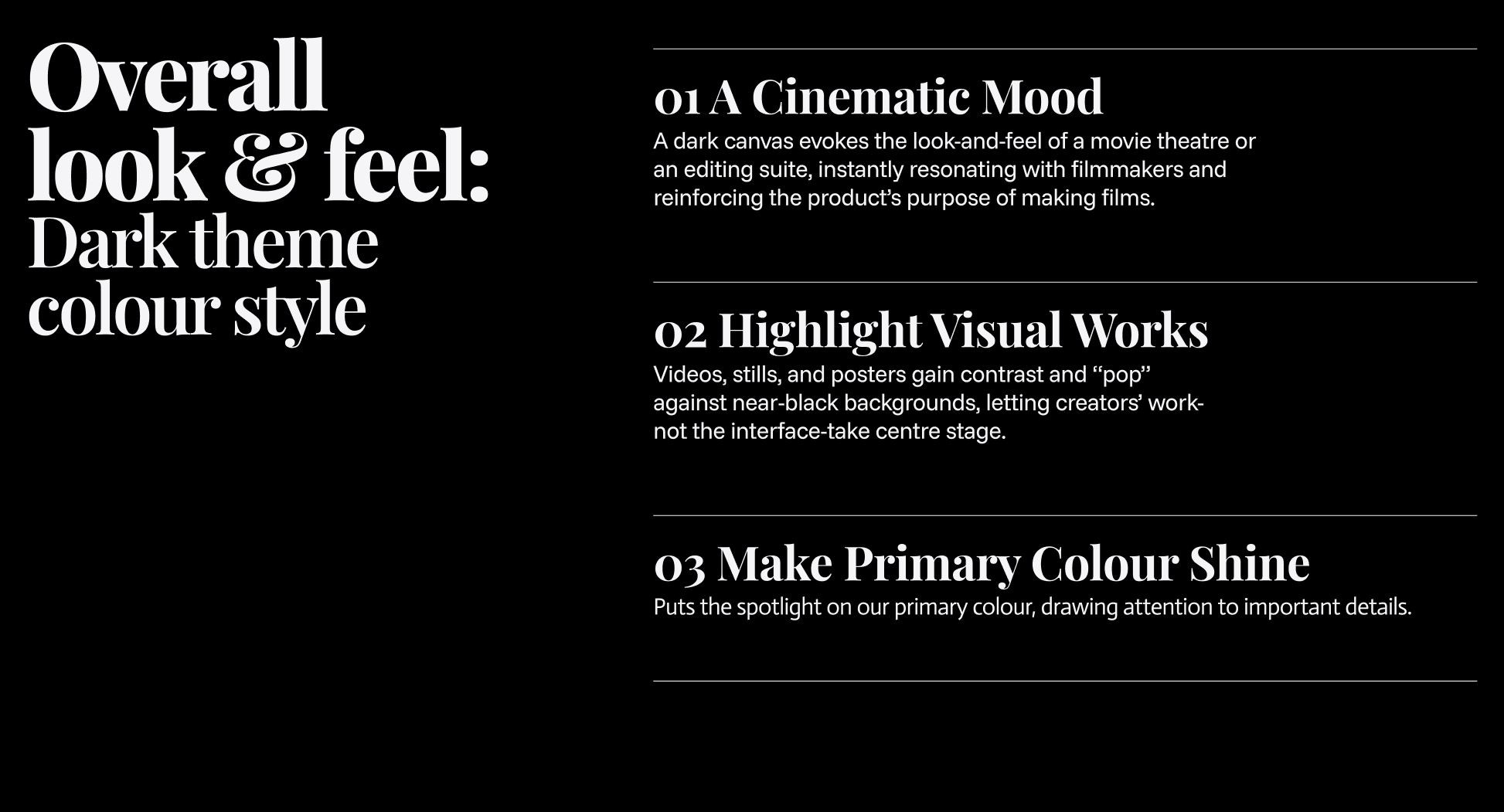
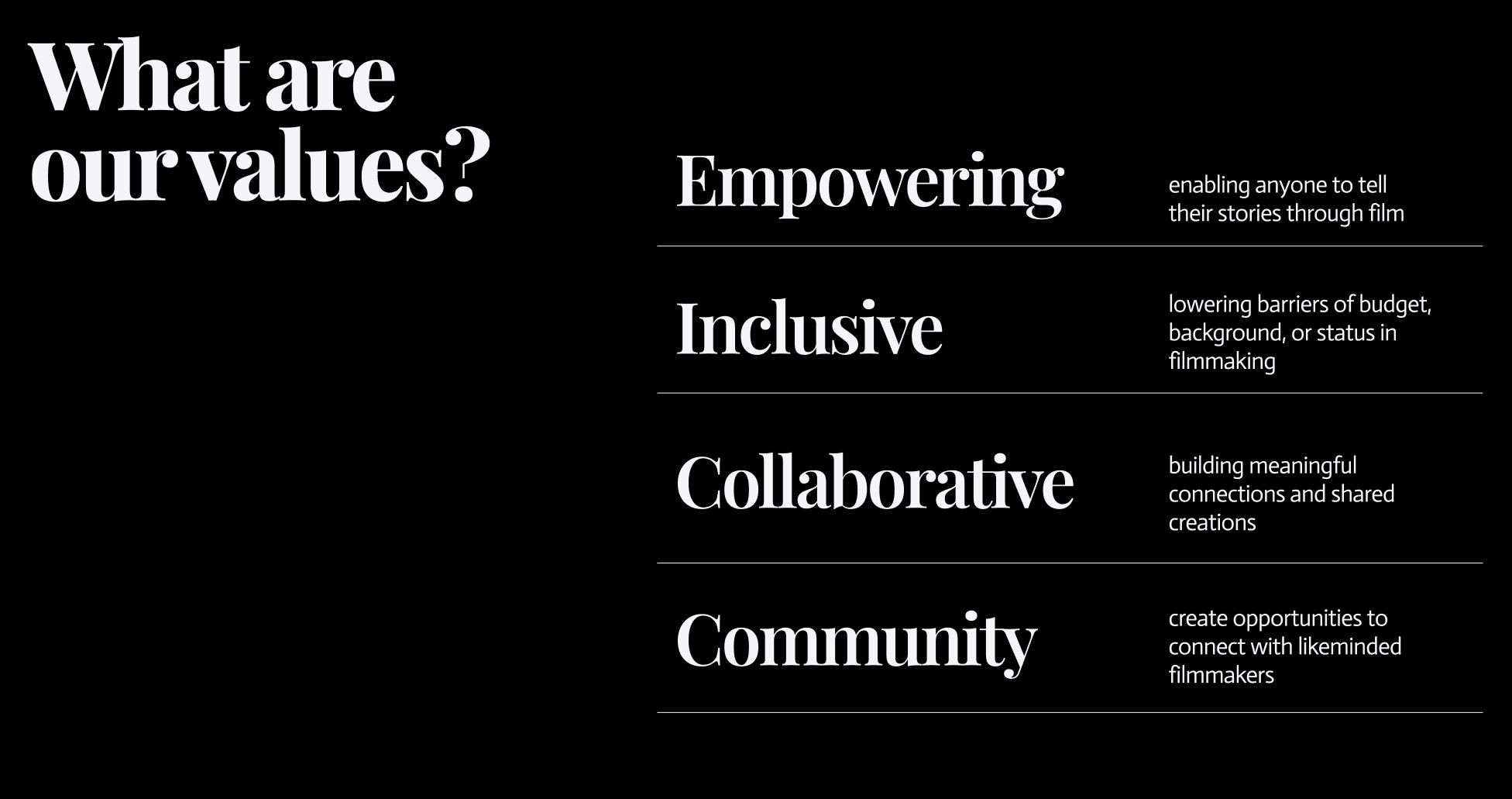
BUILDING THE DESIGN SYSTEM
Since Filmmakers.io was already using MUI, we chose the MUI Figma library as the foundation for the design system. This allowed us to build on a well-tested, accessible and developer-friendly framework instead of introducing a custom system that would be harder to adopt and maintain.
Color
Designing a simple, purposeful palette
To avoid visual noise and arbitrary color usage, we intentionally kept the palette simple and uncluttered. Instead of introducing many brand colors, the system was structured around clear roles:
Primary (brand color)
Secondary (supporting accent)
Surface colors (backgrounds and containers)
Semantic colors (error, warning, success, info)
We decided to continue the dark background theme from the old website as it carries a cinematic aesthetic. We wanted a main brand color that symbolizes creativity and fiery passion for film making.
To balance the contrast and stand out clearly against dark surfaces, we chose a warm, flame inspired orange as the primary brand color.
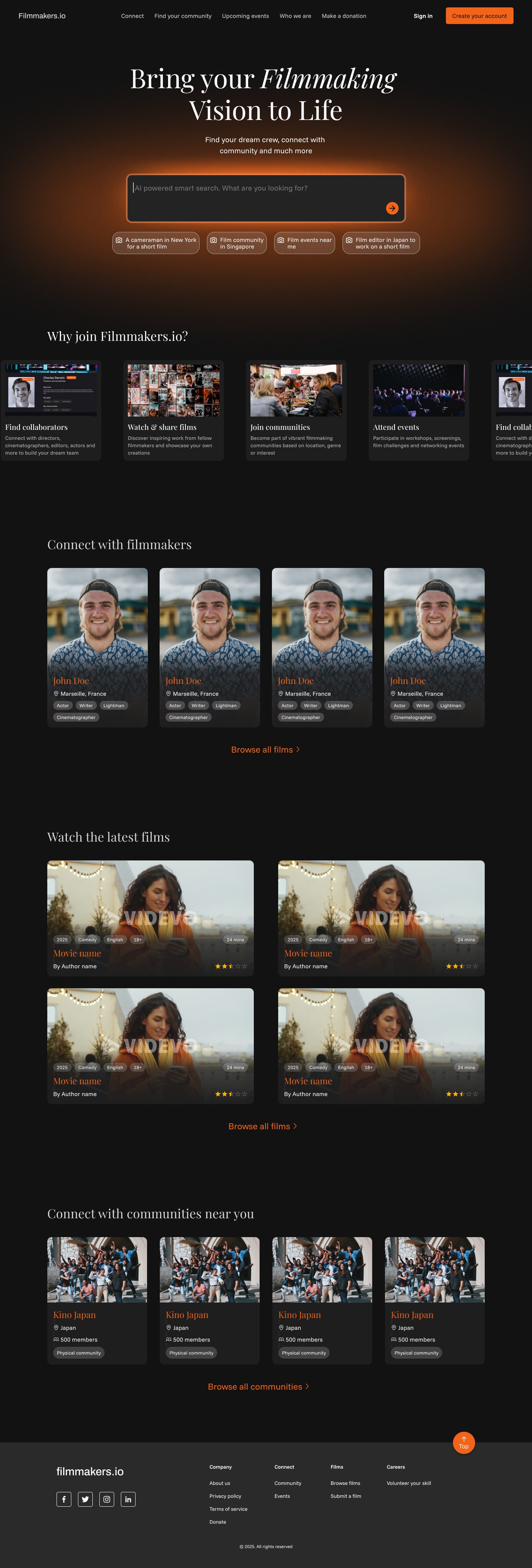
filmmakers.io landing page with dark background and orange as the primary brand color
Token based color structure
To avoid subjective naming like “light” or “dark,” I adopted MUI’s token-based color scale. Each color was defined using numerical values from 50 to 900, where lower values represent lighter shades and higher values represent darker ones. This made the system predictable, extensible and easy to use across components.
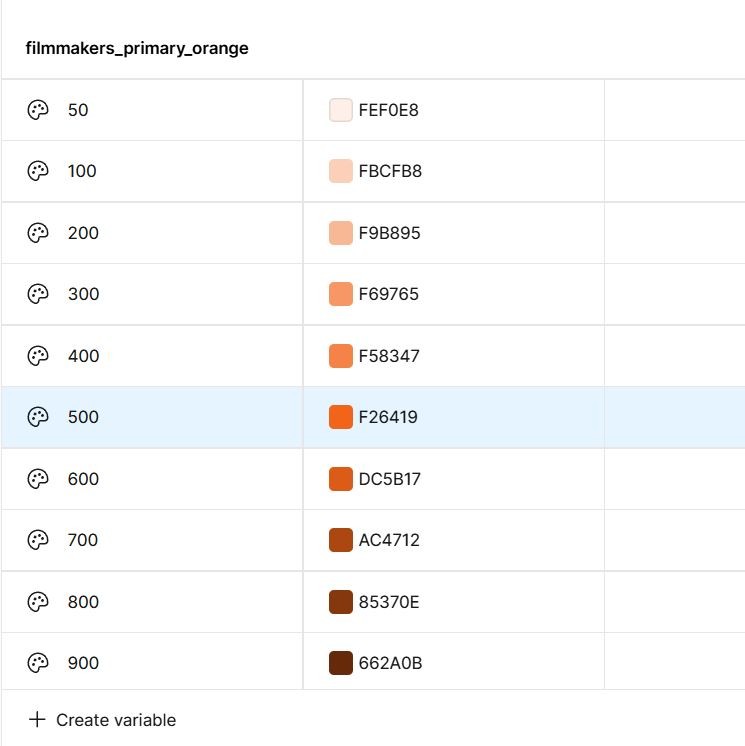
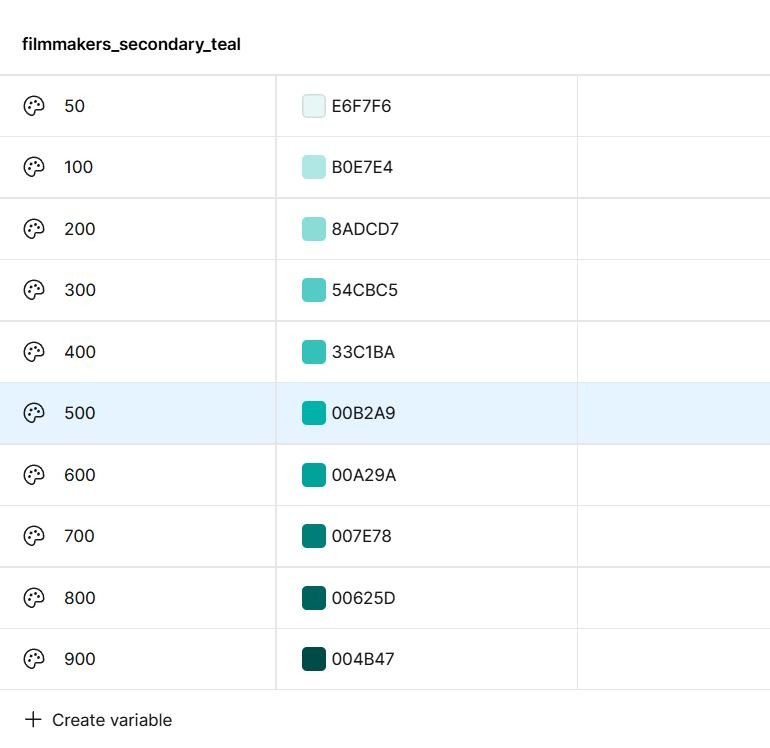
Note that not all colors are in use. Color with 500 value is the main color. The light and dark shades will be used contextually when needed
Each palette color was then mapped to four functional tokens:
Main for default usage
Light for subtle backgrounds
Dark for hover states
Contrast Text to ensure accessibility compliance
By abstracting colors into tokens, components referenced usage rather than raw hex values.
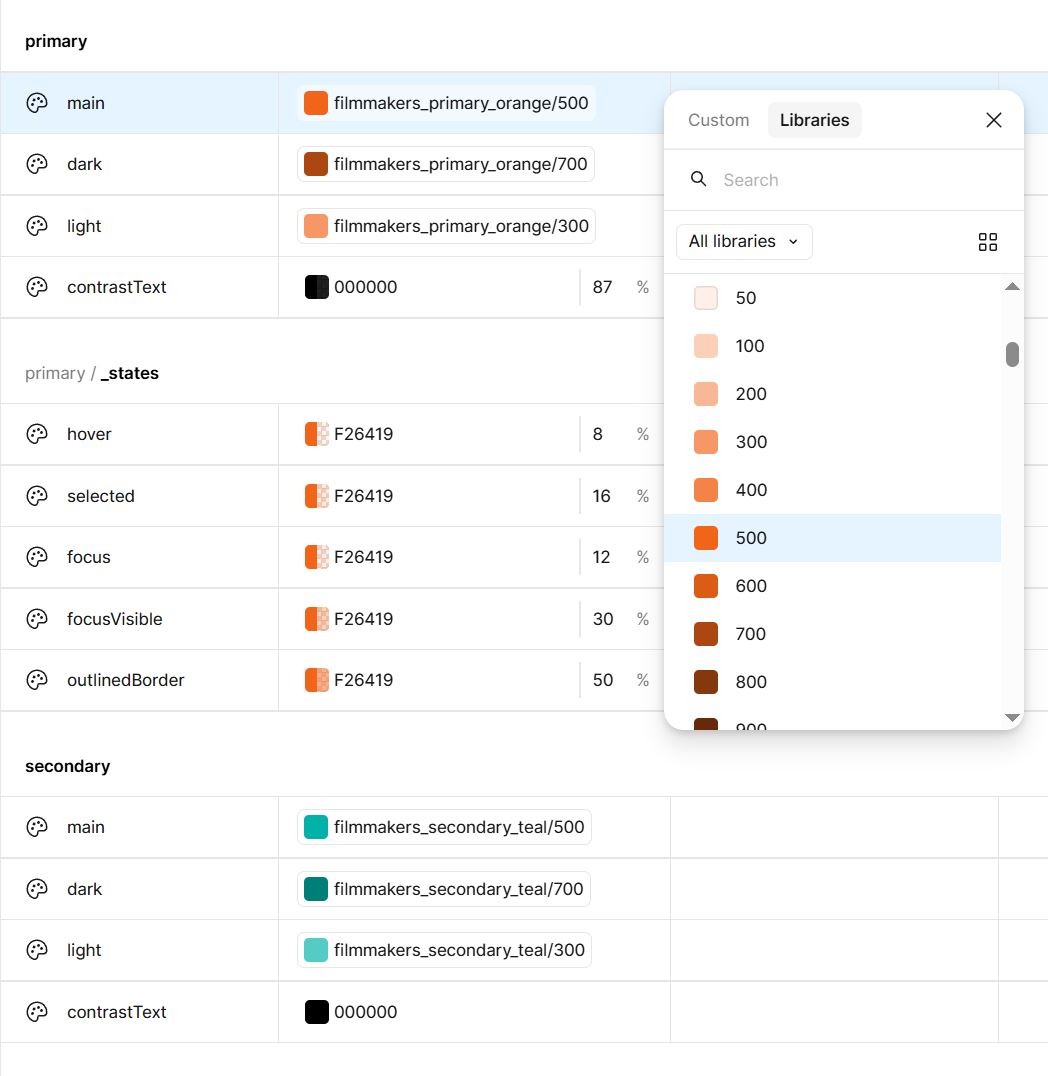
Token structure diagram showing main, light, dark and contrast text colors
Accessibility considerations
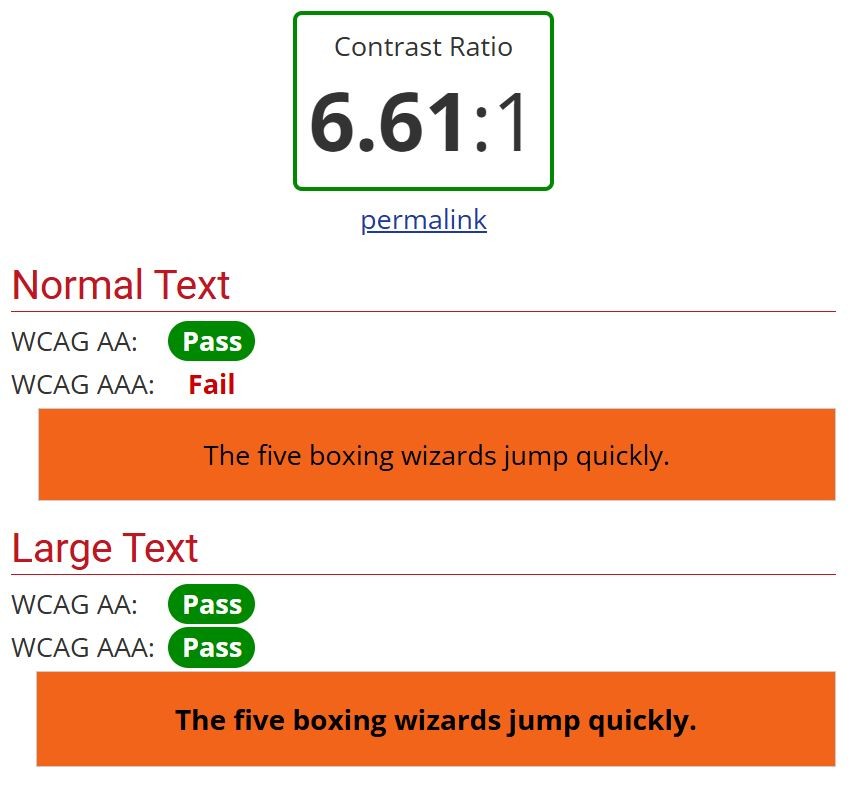
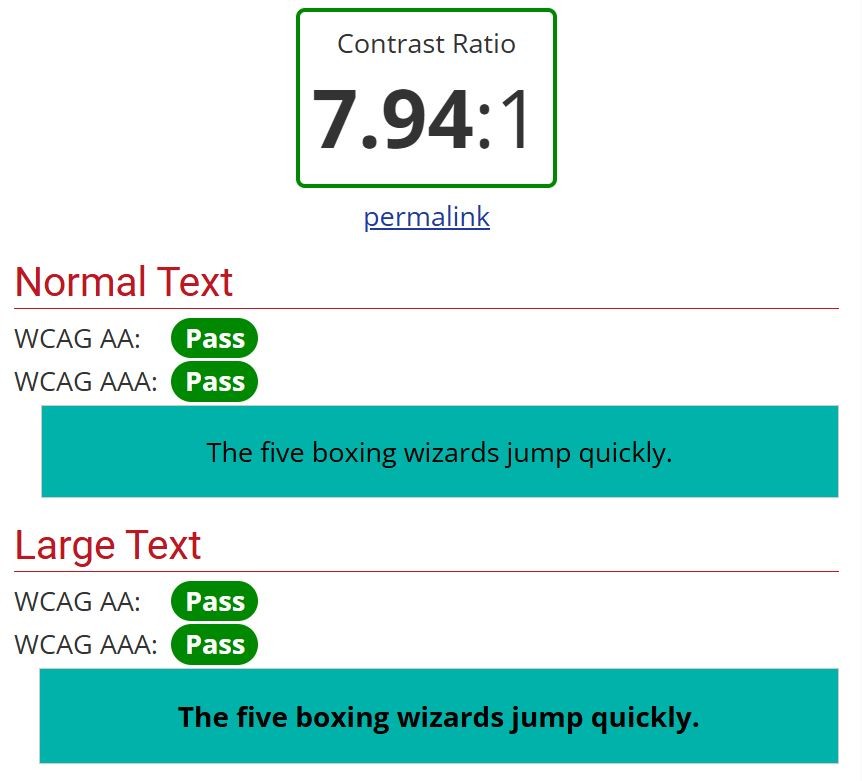
Contrast ratios were validated while defining tokens, ensuring that text placed on primary or secondary surfaces remained readable.


Typography
Choosing the typeface pairing
We decided early on to use two typefaces to create a clear visual contrast between headings and body text.
Playfair Display was chosen for headings to bring an editorial, cinematic feel that aligns with filmmaking as a craft and Funnel Sans was used for body text to ensure clarity, readability and performance across devices.

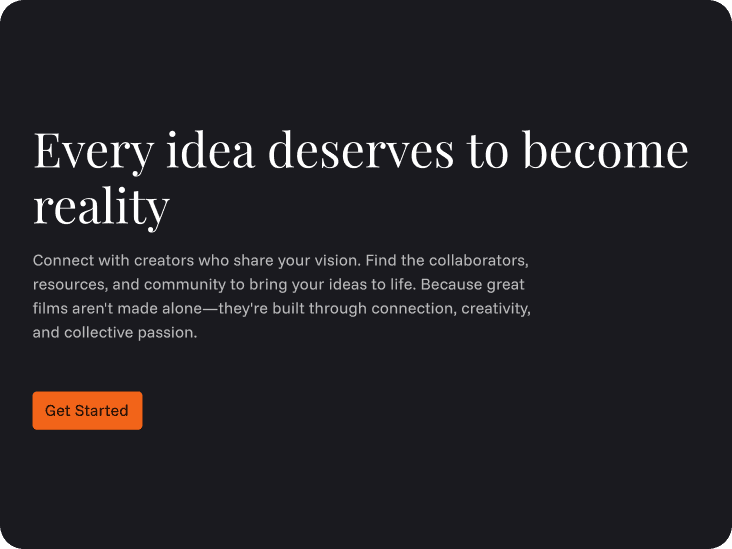
Serif font - Playfair Display used for headings
Sans Serif font - Funnel Sans used for body text and CTA buttons
Typography built with variables
I created text styles to define various headings and body text.
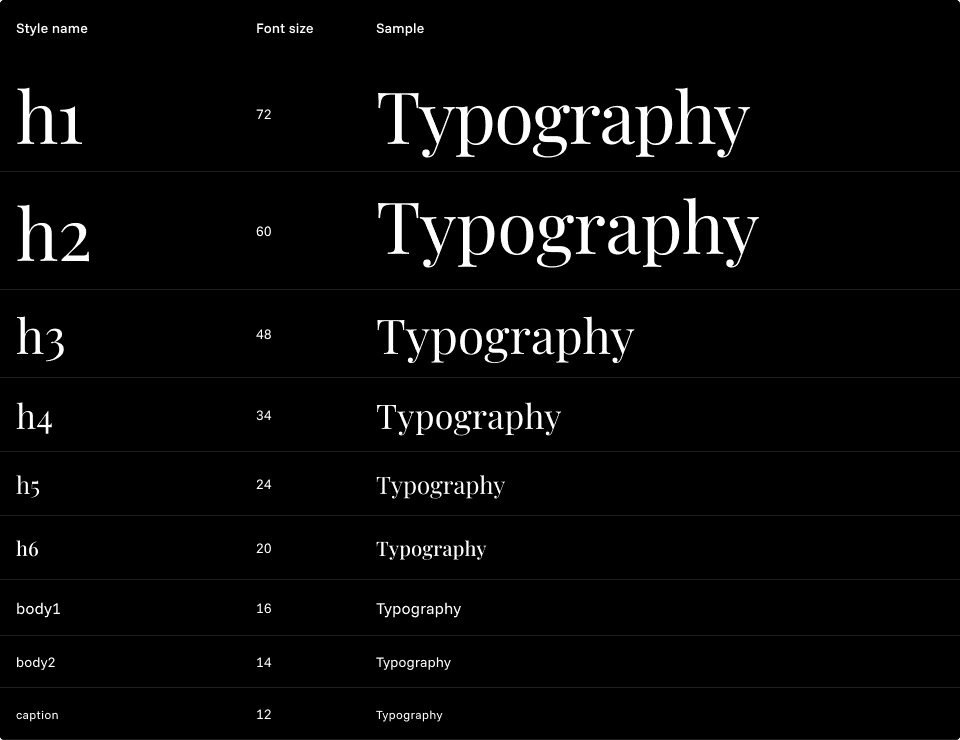
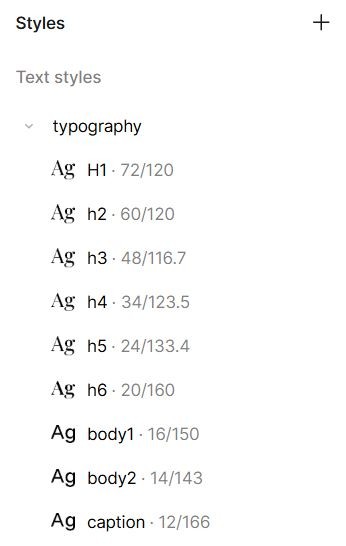
Heading and body text styles
Each text style was linked to variables for:
Font family (string variables)
Font weight (number variables)
Font size (number variables)
This ensured that any future changes to typography could be handled at the variable level without manually updating individual styles.
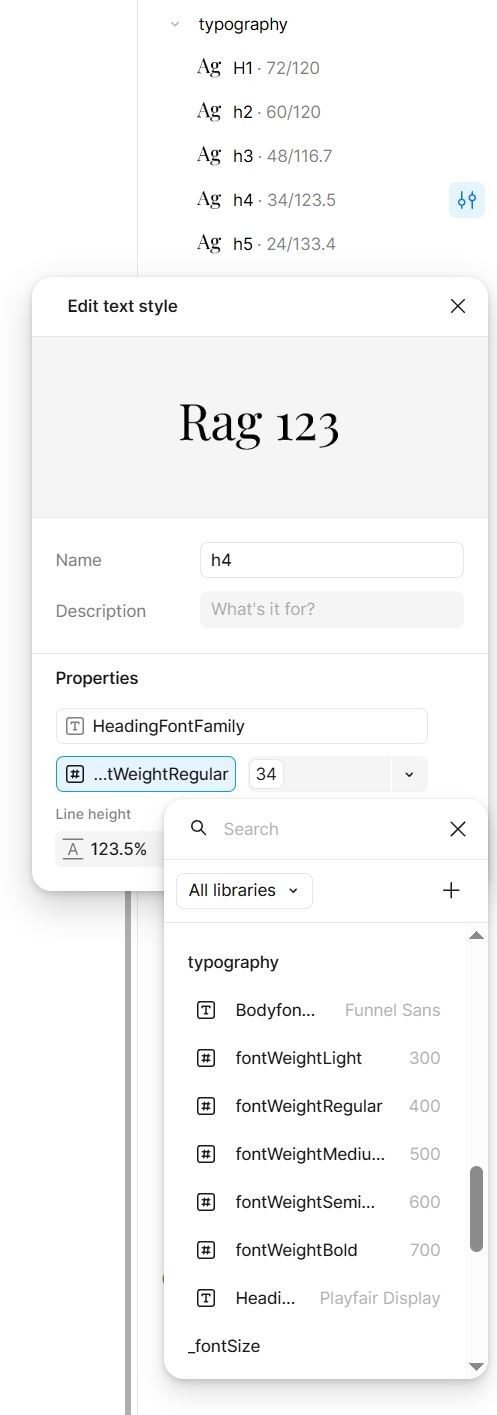
h4 text style with
font family variable
font weight variable
font size variable
Text style connected to typography variables
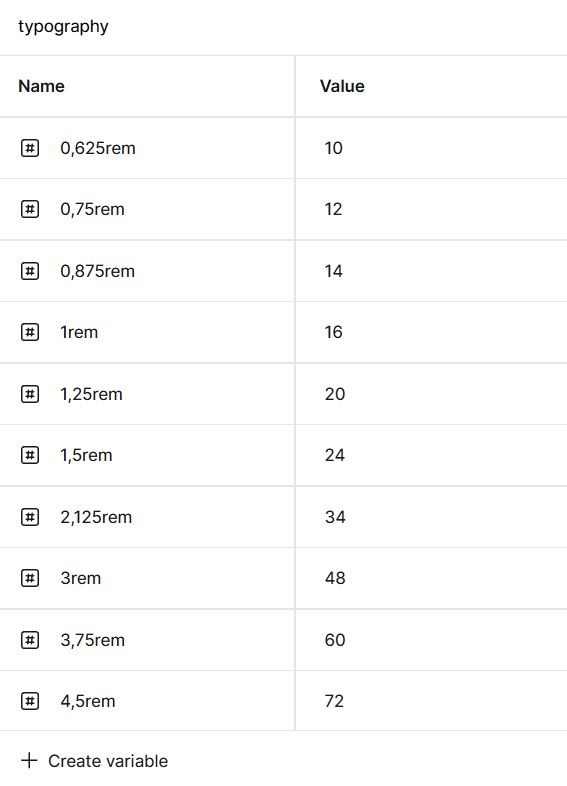
Font sizes and scale
Font sizes were defined using CSS-aligned rem units, where 1rem = 16px. This kept the system consistent with front-end implementation and supported responsive scaling.
The typography scale primarily followed a 4px grid, deviating only when necessary using a 2px increment to preserve visual balance.
Building smart components
With the foundations in place, the next step was translating the design system into reusable, smart components. Cards were a starting point, as they are one of the most frequently used patterns across Filmmakers.io - from movie previews to filmmaker profiles and community listings.
I began by breaking each card into two clear parts:
the visual container (thumbnail and layout) and the content layer, which was made of variables such as text styles, colors, spacing and chip elements.
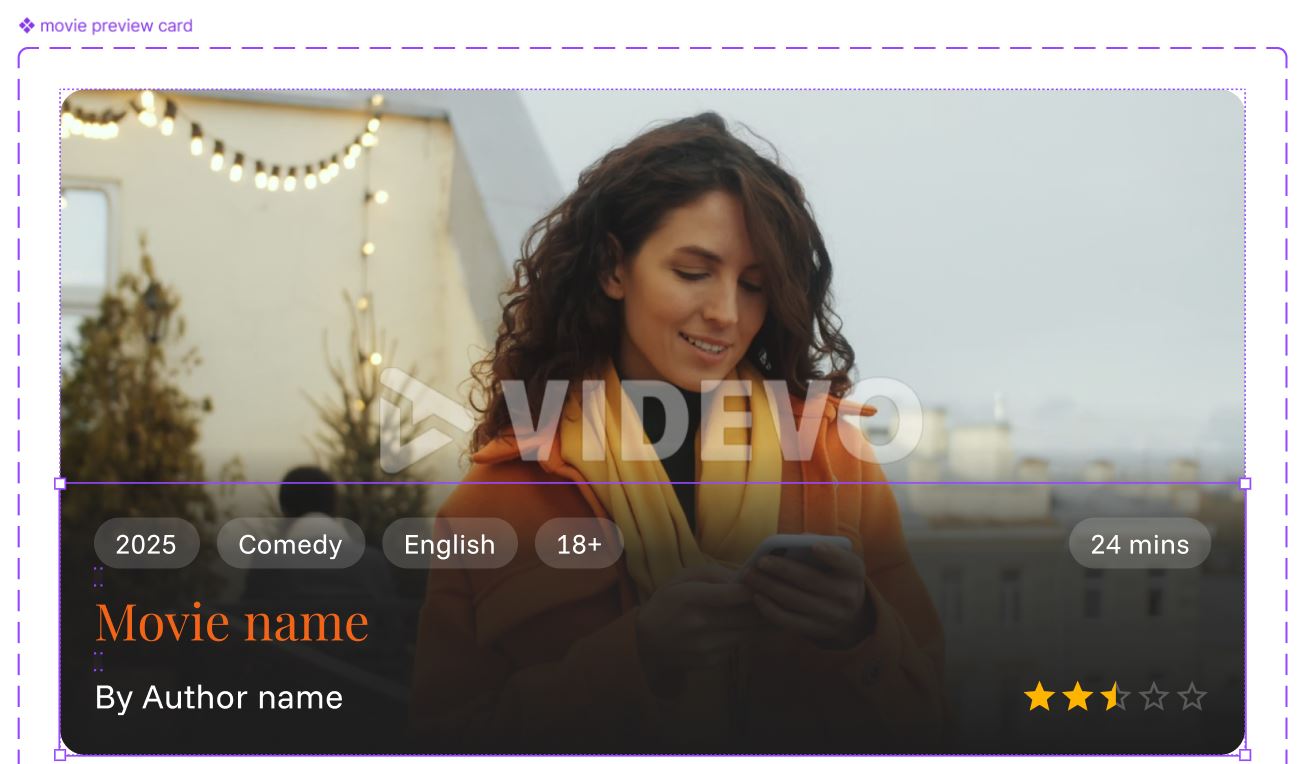
Movie preview card component
card visual container
card content component
Movie preview card content built as a smart component with variable driven properties
Using MUI components as a base, I added variable properties such as size, color, state, text style and variant. By relying on variables rather than fixed values, these components became easy to update, scalable across the product and simple for other designers to reuse without breaking visual consistency.
IMPACT OF THE DESIGN SYSTEM
# 1
Visual consistency across the preduct
By standardizing color tokens, typography and core components, the interface shifted from page-by-page styling to a unified visual language. Similar elements now look and behave the same across landing pages, film pages and profile pages.

Film maker card
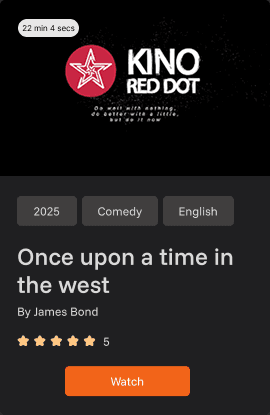
Film card
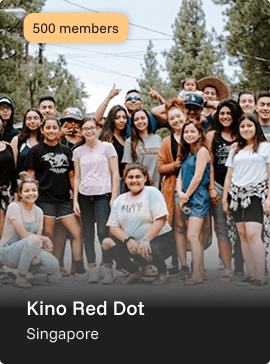
Film community card
BEFORE
AFTER
Film maker card
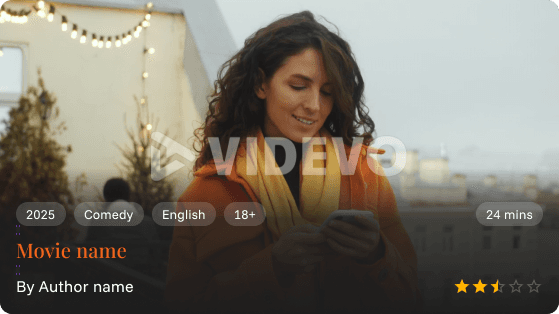
Film card
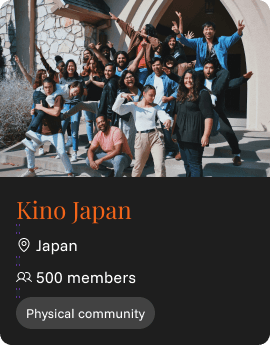
Film community card
# 2
Faster design and iteration
Smart components powered by variables reduced repetitive work. Designers could create new screens by reusing existing components instead of rebuilding UI patterns from scratch, significantly speeding up exploration and iteration.
# 3
Easier collaboration in a volunteer driven team
With clear design guidelines and reusable components in place, new designers could quickly understand how the system worked and contribute without unintentionally breaking consistency.
# 4
Scalable foundation for future growth
By aligning the system with MUI and using tokens, the design system stayed flexible enough to support future features and product expansion without rethinking core decisions.
MY LEARNINGS AND WHAT'S NEXT
Working on the Filmmakers.io design system reinforced the importance of designing for scale, collaboration and change, especially in a product shaped by multiple contributors. Building strong foundations early through tokens, variables and smart components proved essential in maintaining consistency while still allowing flexibility during an ongoing redesign.
Filmmakers.io is currently in the redesign phase, with V1 expected to launch in the next one to two months. As the product evolves, the design system will continue to grow alongside it. Future iterations (V2) will introduce new features such as events, behind-the-scenes content and AI-powered film collaborations, requiring the system to expand with new components.
This design system is not a finished product, but a living system one that will be refined, extended and strengthened as the product and community continue to grow.
Thank you for reading the case study!
More to explore
Copyright © 2026 Prachi Thakare. All rights reserved.
Designed & built by Prachi Thakare